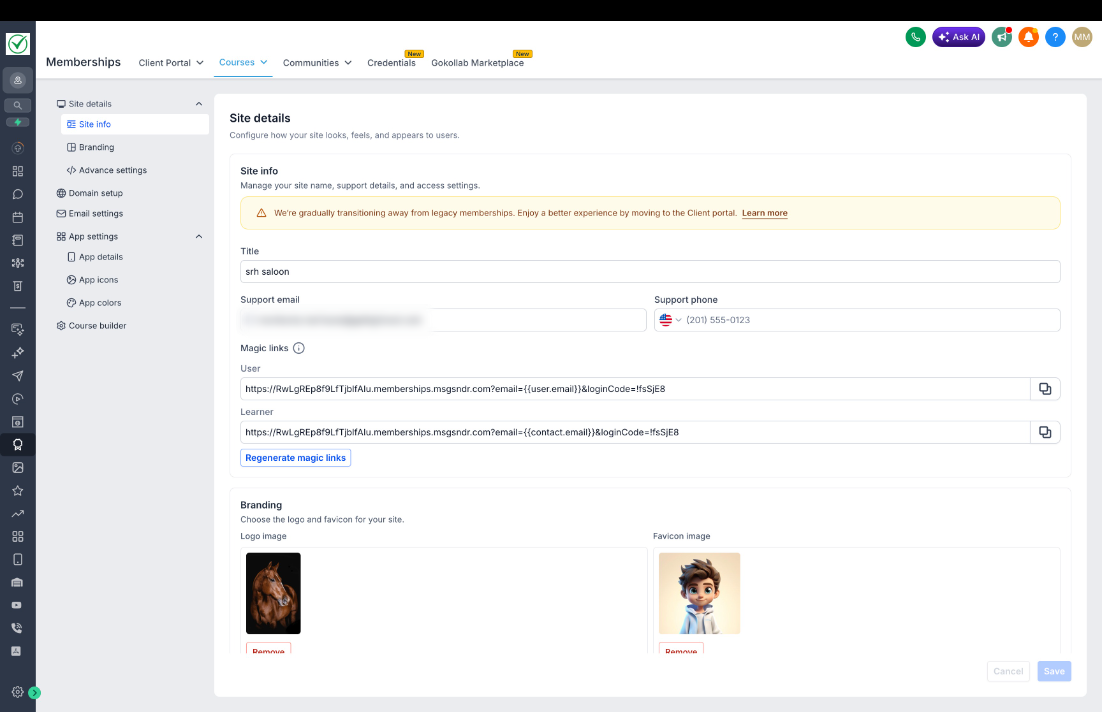
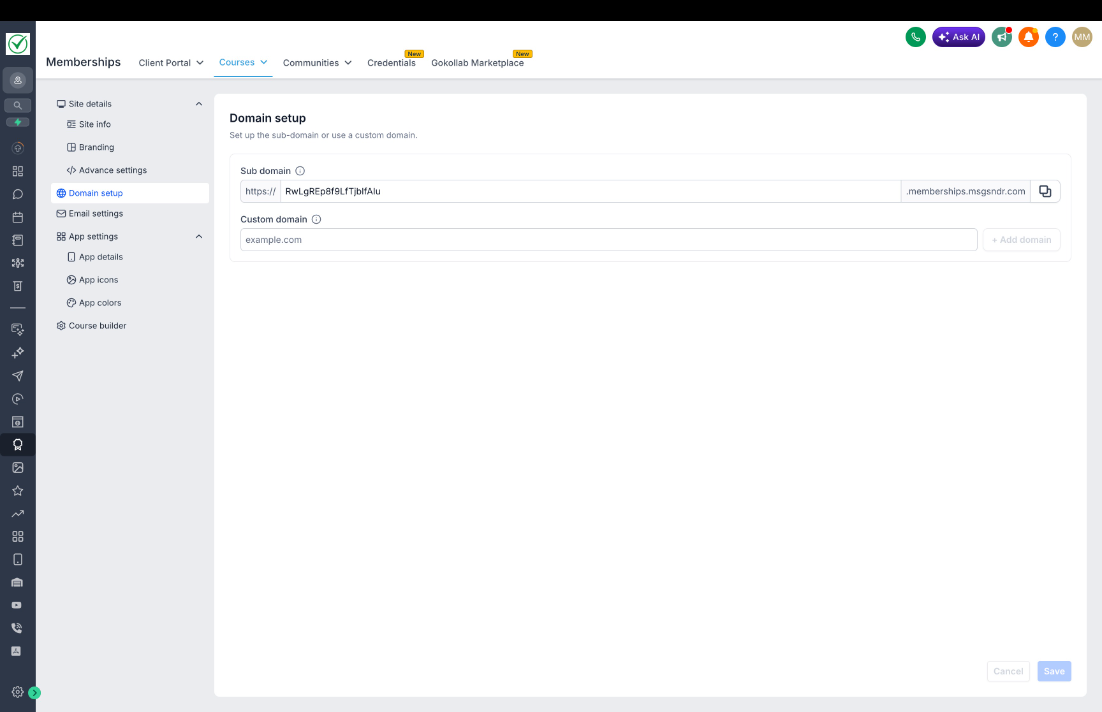
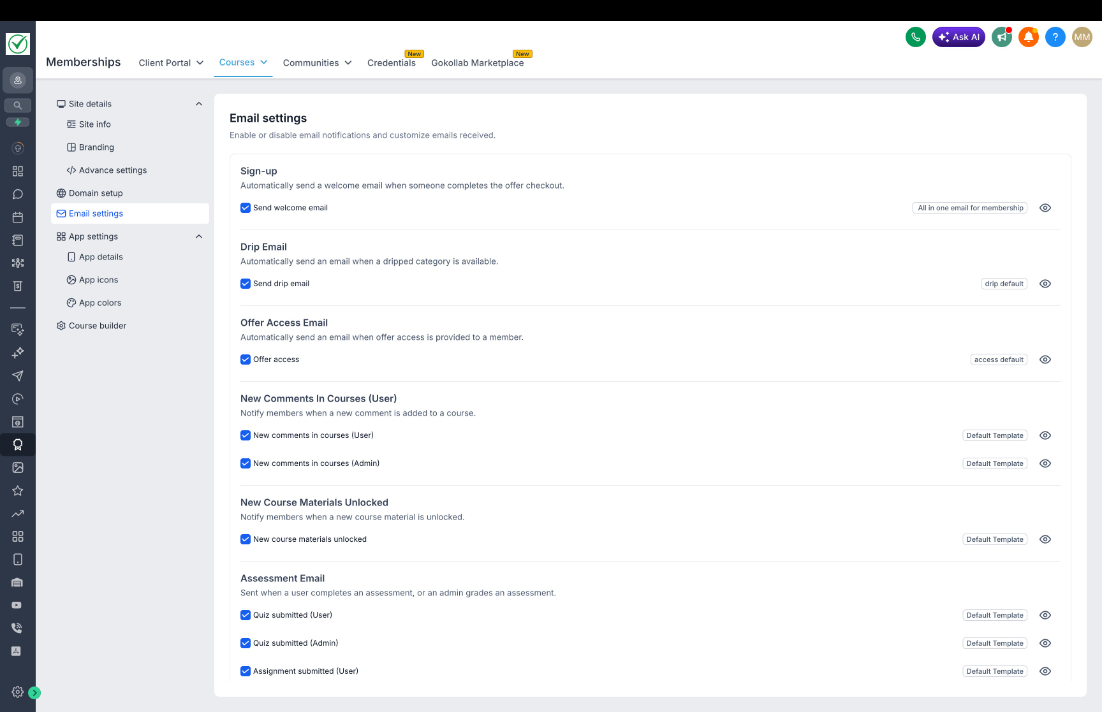
We’ve introduced a refreshed Courses Settings UI with a significantly improved experience, making it easier to discover features and manage settings efficiently.
What’s New
- Redesigned UIfor a more modern and consistent experience
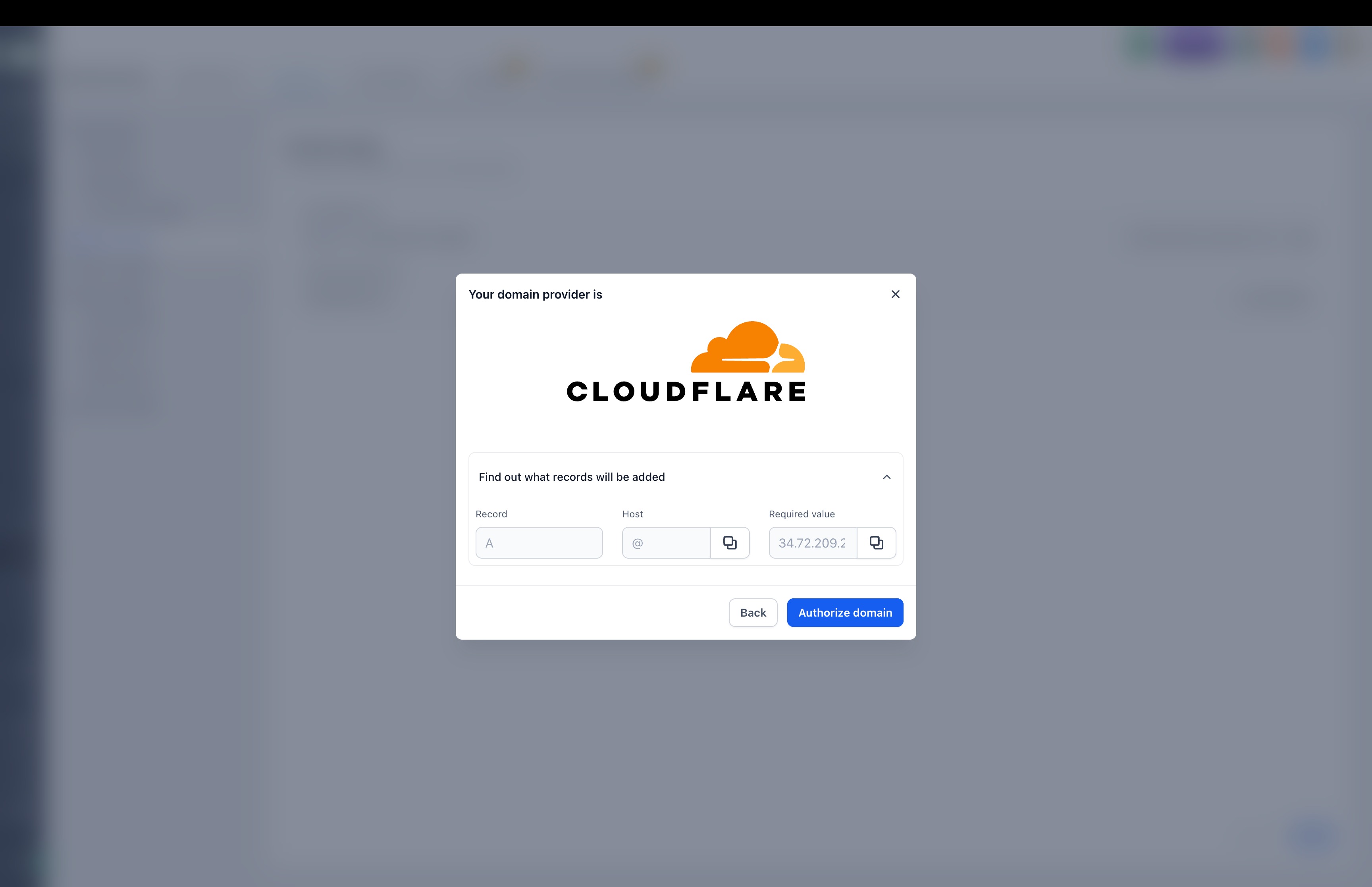
- Custom domain setupfor seamless and intuitive configuration
- Image cropping supportfor brand logo & favicon
- Faster loading performanceacross the settings application
- Enhanced form experiencewith better validations and usability
- Clearer navigation feedbackwhen accessing Client Portal settings
Available in Labs
This feature is currently live in Labs.
To enable it:
- Go to Labs from your account
- Find New Course Settings UI
- Toggle it on to start using the new experience
Was this article helpful?
That’s Great!
Thank you for your feedback
Sorry! We couldn't be helpful
Thank you for your feedback
Feedback sent
We appreciate your effort and will try to fix the article